Analyze
Capture one to three photos, crop the useful details, and add the facts you already know.
A field companion for the full resale workflow
MarginLens helps shoppers, collectors, and resellers evaluate a find, track what happens next, and prepare it for sale—without losing the evidence behind the decision.
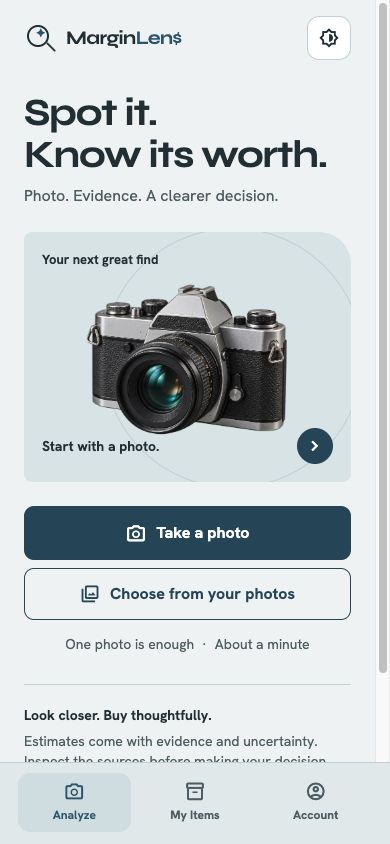
Current development interfaces with fictional examples, including a generated pottery photo. Sample prices and outcomes are illustrative, not verified market results.
The MarginLens workflow
Capture one to three photos, crop the useful details, and add the facts you already know.
Review the evidence, confidence, likely resale, and expected profit before choosing BUY, WAIT, or PASS.
Track the find, the sourcing trip, purchase cost, listing status, sale result, and realized profit.
Shape an editable listing draft you can review, copy, or share with a marketplace.
Built for the first release
Capture several possible finds quickly, then keep the next item ready in a review queue before choosing what to analyze.
Collector and Pro can scan a promising find and choose which item analyses to run from the results.
See the probable item, evidence strength, confidence, valuation range, and a practical recommendation together.
Adjust selling channel assumptions, fees, processing, and shipping to see how the economics change.
Move finds through Maybe, Bought, Passed, Listed, or Sold while keeping cost, storage, and notes attached.
Group finds into a trip, set a budget, watch recorded spend, and complete or reopen the session later.
Use the current item guidance and buying context to decide what to inspect next and what to record.
Collector and Pro can edit a suggested title, description, category, price, and tags before copying or sharing a draft.
Account-backed Collection records can be searched, filtered, and exported as CSV through your phone’s Share menu.
Collector and Pro can create item sets from eligible finds, review cutouts, and prepare scenes when the connected provider is available.
Start with what is visible
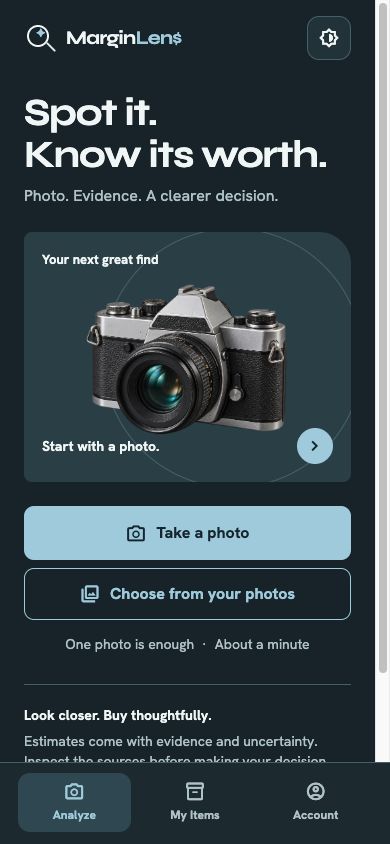
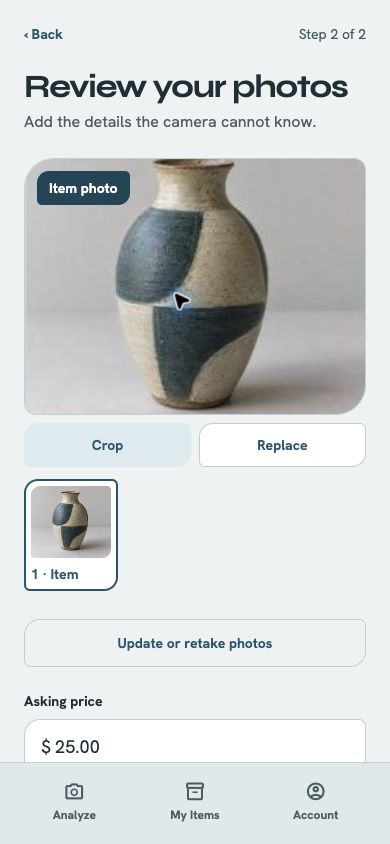
Take one to three photos with the camera or choose them from your library. Crop the item, label, or identifying detail and add any category or condition information that can sharpen the analysis.
Evidence before certainty
A result brings identification, item-match, and price-evidence confidence into view. MarginLens shows comparable evidence when it has it, clearly labels an AI estimate when it does not, and says when no usable estimate is available.
A decision with the math attached
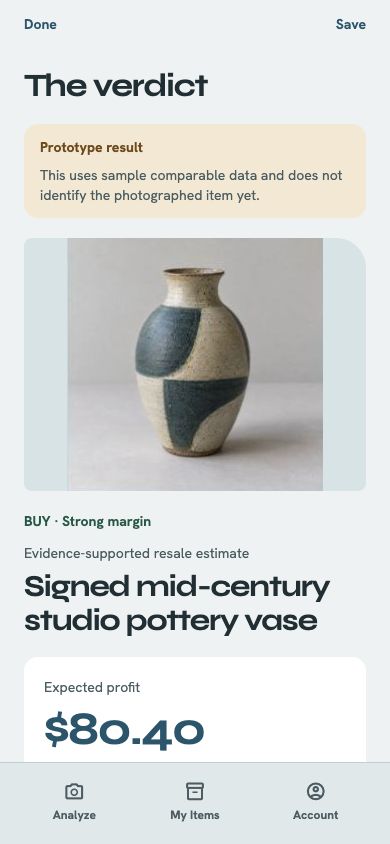
MarginLens keeps purchase price, likely resale, expected profit, channel fees, processing, and shipping in one calculation. A result distinguishes market references from an AI estimate and explains when the available evidence is too thin for an estimate. You can change the costs for the specific find before deciding.
Field ledger and sourcing sessions
Group finds by sourcing session, set a trip budget, and see spend as items are recorded. Search and filter inventory, track listing and sale status, record realized profit, and export the inventory as CSV when you need it elsewhere.
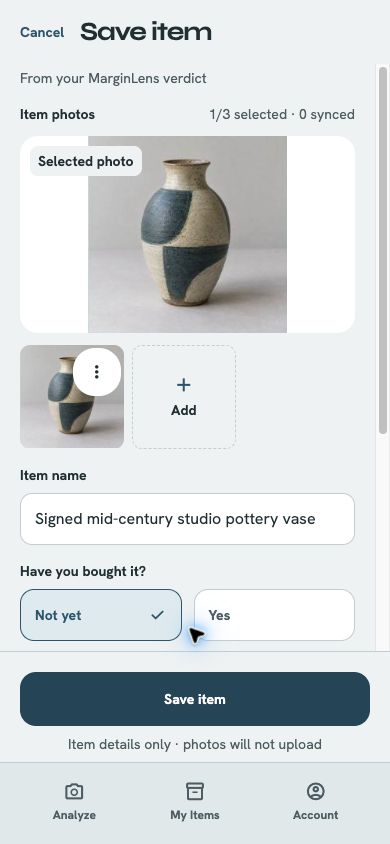
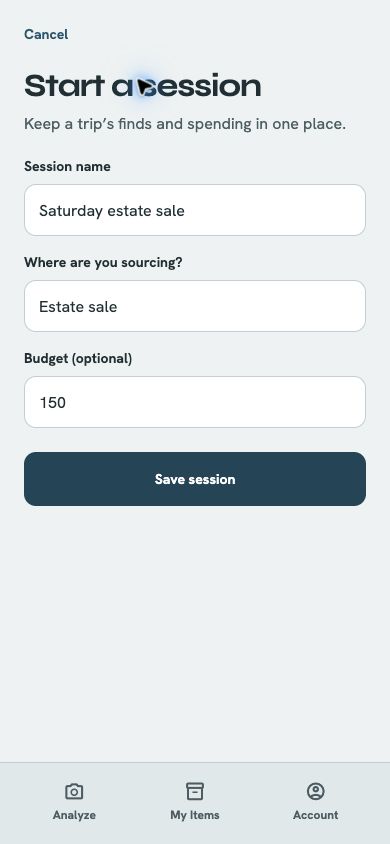
Prepare the next step
Start with an editable listing draft: title, description, suggested asking price, category, and discovery tags. Save the draft, then copy or share it when you are ready to work in a marketplace.
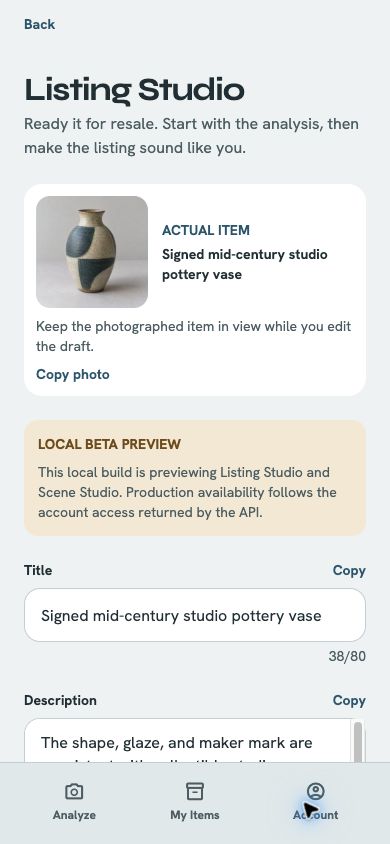
Direct marketplace publishing is not included in the first release. MarginLens prepares a draft for you to review and move into the marketplace you choose. Where to Go is outside the first public release.
Keep every decision in reach
Saved finds keep the recommendation, purchase decision, expected economics, and listing work together in your account-backed My Items collection. Compact filters make Bought, Listed, Sold, Maybe, and Passed items quick to revisit.
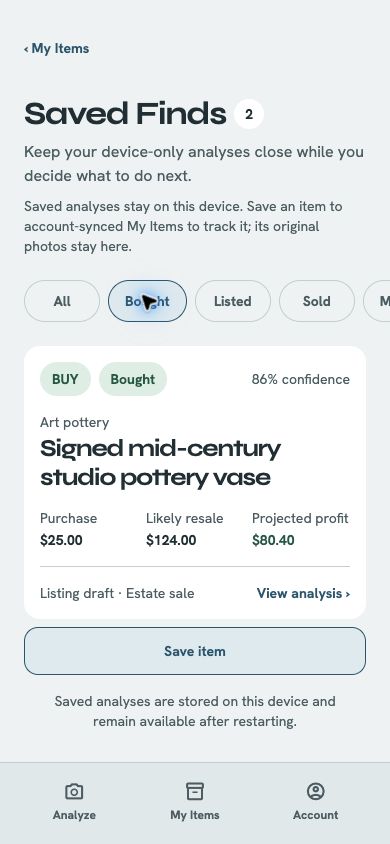
Planned US pricing
MarginLens is not publicly available yet. These are planned US prices, not current purchase offers. Stores will show the final local prices and terms at launch.
Try five analyses free. The app allowance is five total per account, with core evidence, saved items, and CSV export.
100 analyses per month and the current Collector tools, including performance reports.
250 analyses per month and the same current tools as Collector.
| Feature | Free | Collector | Pro |
|---|---|---|---|
| Paid item analyses per month | — | 100 / month | 250 / month |
| Free analysis offer | Five total per account | Included | Included |
| Resale estimate and verdict | Included | Included | Included |
| Quick Capture and Review Queue | Not included | Included | Included |
| Scout Scan | Not included | Included | Included |
| Saved-find history | Included | Included | Included |
| Full evidence and profit assumptions | Included | Included | Included |
| Listing Studio and SEO tags | Not included | Included | Included |
| Buying guidance and item guide | Not included | Included | Included |
| Session and inventory performance reports | Not included | Included | Included |
| My Items and CSV export | Included | Included | Included |
| Scene Studio item sets | 0 / month | 50 item sets / month | 100 item sets / month |
Planned add-on: 50 extra analyses for $9.99, available on every tier and non-expiring. Purchased credits do not unlock paid features. Future features in the in-app plan catalog are excluded from the launch capabilities above.
Scene Studio is included in the first public release with a separate planned allowance of 50 item sets per month for Collector and 100 for Pro; Free has 0. Each set starts when its whole-item cutout is approved, can keep up to 4 images, and does not consume an ordinary item-analysis allowance. Direct marketplace publishing is not included in the first release.
The public free offer is an app allowance, not an Apple or Google subscription trial: try five analyses free, five total per account. It does not replenish at a month boundary, after reinstalling or signing out, after deleting items, or after cancelling or downgrading a subscription. Failed analyses are refunded, and duplicate retries are safe. After the five, you can subscribe or buy a non-expiring analysis pack. Saved items, core evidence, and export remain accessible.
Each successful item analysis uses 1 available analysis, with your included allowance used before purchased credits. Paid plan allowances refresh monthly. Scout uses 1 analysis, and each separately chosen item analysis from Scout uses 1 additional analysis. Failed attempts and retries do not silently double-charge an allowance.
Collector and Pro include the same current tools—Quick Capture and Review Queue, Scout Scan, Listing Studio, Scene Studio, buying guidance and item guide, and session and inventory performance. Pro provides higher analysis volume.
Made for the hunt
Keep a room full of possibilities tied to one sourcing session, budget, and spend total.
Turn a few photos and a shelf price into a more deliberate buy, wait, or pass decision.
Preserve identifying details, evidence, condition notes, and the reasoning you want to revisit.
Carry a promising find from analysis into inventory, listing preparation, sale, and realized profit.
MarginLens is coming soon
MarginLens is in private Android and iOS testing with invited testers while we prepare the first public release.
Contact support